Welcome To SoftwarezCity :)

~ We Share | The Best ~
A site/blog where all your search comes to an end :D :p Everything's site, download games, software, tricks, scripts, mobile stuff and get tutorial videos and much more All free :).

Games

Download free full version games with an ease access.

Tricks/Tutorials

Solve you cyber problem with simple tweaks and tricks , like facebook photo verification , fb auto invites and much more.

Earning$$$

Get easy and working methods and tips for online earning. Start your earning now $_$.

Hacking

Get premium and tricky hacking methods + hacking tools and video tutorials . Learn hacking with fun :D .

Softwares

Download full version softwares for free here . Also get cracks for number of software with ease clicks .

Showing posts with label Web/Pc/Os Info/guide. Show all posts

ilayer (Inflow Layer) Tag

<ilayer> (Inflow Layer) Tag


This Netscape-specific element allows the definition of overlapping content layers that can be positioned, hidden or shown, rendered transparent or opaque, reordered front to back, and nested. An inflow layer is a layer with a relative position that appears where it would naturally occur in the document, in contrast to a general layer, which might be positioned absolutely regardless of its location in a document. The functionality of layers is available using CSS positioning, and page developers are advised not to use this element.
 Or Simple we can say ,
           iLayer element creates inline layers (regions that are embedded in the flow of the text )

data layer, div position, html 5 tags, html z-index, ilayer, ilayer (Inflow Layer) Tag, ilayer html, tag manager, Web/Pc/Os Info/guide, z-index html,

Syntax (Netscape 4 Only)

<ilayer
above="layer"
background="url of image"
below="layer"
bgcolor="color name | #RRGGBB"
class="class name(s)"
clip="x1, y1, x2, y2"
height="percentage | pixels"
id="unique alphanumeric identifier"
left="pixels"
name="string"
pagex="pixels"
pagey="pixels"
src="url of layer contents"
style="style information"
top="pixels"
visibility="hide | inherit | show"
width="percentage | pixels"
z-index="number"
</ilayer>

Element Specific Attributes

above
This attribute contains the name of the layer to be rendered above the current layer.
background
This attribute contains the URL of a background image for the layer.
below
This attribute contains the name of the layer to be rendered below the current layer.
bgcolor
This attribute specifies a layer's background color. Its value can be either a named color or a color specified in the hexadecimal #RRGGBB format.
clip
This attribute specifies the clipping region or viewable area of the layer. All layer content outside that rectangle will be rendered as transparent. The clip rectangle is defined by two x,y pairs: top x, left y, bottom x, and right y. Coordinates are relative to the layer's origin point, 0,0 in its top-left corner.
height
This attribute specifies the height of a layer in pixels or percentage values.
left
This attribute specifies in pixels the horizontal offset of the layer. The offset is relative to its parent layer if it has one or to the left page margin if it does not.
name
This attribute assigns the layer a name that can be referenced by programs in a client-side scripting language. The id attribute also can be used.
pagex
This attribute specifies the horizontal position of the layer relative to the browser window.
pagey
This attribute specifies the vertical position of the layer relative to the browser window.
src
This attribute is used to set the URL of a file that contains the content to load into the layer.
style
This attribute specifies an inline style for the layer.
top
This attribute specifies in pixels the top offset of the layer. The offset is relative to its parent layer if it has one or the top page margin if it does not.
visibility
This attribute specifies whether a layer is hidden, shown, or inherits its visibility from the layer that includes it.
width
This attribute specifies a layer's width in pixels.
z-index
This attribute specifies a layer's stacking order relative to other layers. Position is specified with positive integers, with 1 indicating the bottommost layer.

Also Check : Html Layer Tag

Example

<p>Content comes before.</p>
  <ilayer name="background" bgcolor="green">
    <p>Layered information goes here.</p>
  </ilayer>
<p>Content comes after.</p>

HTML Layer Tag

                         HTML Layer Tag

html 5 tags,z-index html, Web/Pc/Os Info/guide, html z-index,tag manager,div position,data layer,


The HTML <layer> tag is used to position and animate (through scripting) elements in a page. A layer can be thought of as a separate document that resides on top of the main one, all existing within one window.
This tag has support in Netscape 4 and higher versions of it.

Example

This example creates three overlapping layers. The back one is red, the middle one is blue, and the front one is green.

<html>
<head>
<title>HTML layer Tag</title>
</head>
<body>
<layer id="layer1" top="250" left="50" width="200" 
   height="200" bgcolor="red">
  <p>layer 1</p>
</layer>
<layer id="layer2" top="350" left="150" width="200" 
    height="200" bgcolor="blue">
  <p>layer 2</p>
</layer>
<layer id="layer3" top="450" left="250" width="200"
    height="200" bgcolor="green">
  <p>layer 3</p>
</layer>
</body>
</html>
 
 
This will produce following result, it will work in Netscape 4 and higher versions.
layer 1
layer 2
layer 3

       Check Also : iLayer Tag (inflow layer Tag)


we can also control layers with css using z-index.

Layer on layer with z-index (Layers)

CSS operates in three dimensions - height, width and depth. We have seen the first two dimensions in previous lessons. In this lesson, we will learn how to let different elements become layers. In short, this means the order of which the elements overlap one another.
For that purpose, you can assign each element a number (z-index). The system is that an element with a higher number overlaps an element with a lower number.

Let us say we are playing poker and have a royal flush. Our hand can be presented in a way where each card has got a z-index:

In this case, the numbers follow on another (1-5) but the same result can be obtained by using 5 different numbers. The important thing is the chronological sequence of the numbers (the order).
The code in the card example could look like this:
	Royal Flush
	#ten_of_diamonds {
		position: absolute;
		left: 100px;
		top: 100px;
		z-index: 1;
	}

	#jack_of_diamonds {
		position: absolute;
		left: 115px;
		top: 115px;
		z-index: 2;
	}

	#queen_of_diamonds {
		position: absolute;
		left: 130px;
		top: 130px;
		z-index: 3;
	}

	#king_of_diamonds {
		position: absolute;
		left: 145px;
		top: 145px;
		z-index: 4;
	}

	#ace_of_diamonds {
		position: absolute;
		left: 160px;
		top: 160px;
		z-index: 5;
	}


Global Attributes

This tag supports all the global attributes.

Specific Attributes

The HTML <layer> tag also supports following additional attributes:
AttributeValueDescription
abovelayer nameThe name of the inline layer that will be positioned directly above the current layer in the z-order.
background URLA filename or URL for an image upon which the inline layer's text and images will appear.
below layer nameThe name of the inline layer that will be positioned directly below the current layer in the z-order.
bgcolor rgb(x,x,x)
#xxxxxx
colorname
The color to use for the inline layer background.
clip numberThe coordinates of the inline layer's viewable area.
height pixelsThe inline layer's height, in pixels.
left numberThe position of the left side of the inline layer. If the current inline layer is part of another layer.called the parent layer-then the position is relative to the parent layer.
name layer nameThe name of the inline layer.
pagex numberThe position of the left side of the inline layer relative to the browser window.
pagey numberThe position of the top of the inline layer relative to the browser window.
src URLThe URL of a page that will appear inside the inline layer.
top numberThe position of the top of the inline layer. If the current inline layer is part of another layer--called the parent layer--then the position is relative to the parent layer.
visibility show
hide
inherit
Determines whether the inline layer is visible.
width pixelsThe inline layer's width, in pixels.
z-index numberThe inline layer's position within the z-order. Inline layers with higher Z-INDEX values are positioned above inline layers with lower Z-INDEX values.

What is thread in OS ???

What is Thread?

A thread is a flow of execution through the process code, with its own program counter, system registers and stack. A thread is also called a light weight process. Threads provide a way to improve application performance through parallelism. Threads represent a software approach to improving performance of operating system by reducing the overhead thread is equivalent to a classical process.
Each thread belongs to exactly one process and no thread can exist outside a process. Each thread represents a separate flow of control.Threads have been successfully used in implementing network servers and web server. They also provide a suitable foundation for parallel execution of applications on shared memory multiprocessors. Folowing figure shows the working of the single and multithreaded processes.

Difference between Process and Thread

S.N. Process Thread
1 Process is heavy weight or resource intensive. Thread is light weight taking lesser resources than a process.
1 Process switching needs interaction with operating system. Thread switching does not need to interact with operating system.
1 In multiple processing environments each process executes the same code but has its own memory and file resources. All threads can share same set of open files, child processes.
1 If one process is blocked then no other process can execute until the first process is unblocked. While one thread is blocked and waiting, second thread in the same task can run.
1 Multiple processes without using threads use more resources.Multiple threaded processes use fewer resources.
1 In multiple processes each process operates independently of the others. One thread can read, write or change another thread's data.

 You can also watch @ HERE


Advantages of Thread

  • Thread minimize context switching time.
  • Use of threads provides concurrency within a process.
  • Efficient communication.
  • Economy- It is more economical to create and context switch threads.
  • Utilization of multiprocessor architectures to a greater scale and efficiency.

Types of Thread

Threads are implemented in following two ways
  • User Level Threads -- User managed threads
  • Kernel Level Threads -- Operating System managed threads acting on kernel, an operating system core.

User Level Threads

In this case, application manages thread management kernel is not aware of the existence of threads. The thread library contains code for creating and destroying threads, for passing message and data between threads, for scheduling thread execution and for saving and restoring thread contexts. The application begins with a single thread and begins running in that thread.


Advantages

  • Thread switching does not require Kernel mode privileges.
  • User level thread can run on any operating system.
  • Scheduling can be application specific in the user level thread.
  • User level threads are fast to create and manage.

Disadvantages

  • In a typical operating system, most system calls are blocking.
  • Multithreaded application cannot take advantage of multiprocessing.

Kernel Level Threads

In this case, thread management done by the Kernel. There is no thread management code in the application area. Kernel threads are supported directly by the operating system. Any application can be programmed to be multithreaded. All of the threads within an application are supported within a single process.
The Kernel maintains context information for the process as a whole and for individuals threads within the process. Scheduling by the Kernel is done on a thread basis. The Kernel performs thread creation, scheduling and management in Kernel space. Kernel threads are generally slower to create and manage than the user threads.

Advantages

  • Kernel can simultaneously schedule multiple threads from the same process on multiple processes.
  • If one thread in a process is blocked, the Kernel can schedule another thread of the same process.
  • Kernel routines themselves can multithreaded.

Disadvantages

  • Kernel threads are generally slower to create and manage than the user threads.
  • Transfer of control from one thread to another within same process requires a mode switch to the Kernel.

Multithreading Models

Some operating system provide a combined user level thread and Kernel level thread facility. Solaris is a good example of this combined approach. In a combined system, multiple threads within the same application can run in parallel on multiple processors and a blocking system call need not block the entire process. Multithreading models are three types
  • Many to many relationship.
  • Many to one relationship.
  • One to one relationship.

Many to Many Model

In this model, many user level threads multiplexes to the Kernel thread of smaller or equal numbers. The number of Kernel threads may be specific to either a particular application or a particular machine.
Following diagram shows the many to many model. In this model, developers can create as many user threads as necessary and the corresponding Kernel threads can run in parallels on a multiprocessor.


Many to One Model

Many to one model maps many user level threads to one Kernel level thread. Thread management is done in user space. When thread makes a blocking system call, the entire process will be blocked. Only one thread can access the Kernel at a time,so multiple threads are unable to run in parallel on multiprocessors.

If the user level thread libraries are implemented in the operating system in such a way that system does not support them then Kernel threads use the many to one relationship modes.


One to One Model

There is one to one relationship of user level thread to the kernel level thread.This model provides more concurrency than the many to one model. It also another thread to run when a thread makes a blocking system call. It support multiple thread to execute in parallel on microprocessors.
Disadvantage of this model is that creating user thread requires the corresponding Kernel thread. OS/2, windows NT and windows 2000 use one to one relationship model.


Difference between User Level & Kernel Level Thread

S.N. User Level Threads Kernel Level Thread
1 User level threads are faster to create and manage. Kernel level threads are slower to create and manage.
2 Implementation is by a thread library at the user level. Operating system supports creation of Kernel threads.
3 User level thread is generic and can run on any operating system. Kernel level thread is specific to the operating system.
4 Multi-threaded application cannot take advantage of multiprocessing. Kernel routines themselves can be multithreaded.

Hope You got all what you need here :) .

If you want to learn more about Operating System CLICK HERE

Great 20 Google Adsense High Paying Alternatives.

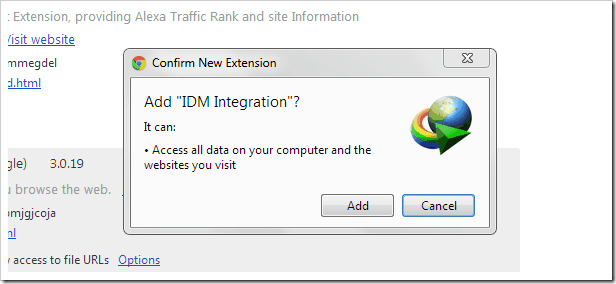
How to add IDM Extensions to Chrome

How to find if someone hacked your computer !!!

How to Enable SSL on Tumblr, WordPress, Blogger, AppEngine !!!

How to Enable SSL on Tumblr, WordPress, Blogger, AppEngine, Posterous & More...How to Enable SSL on Tumblr, WordPress, Blogger, AppEngine, Posterous  
&
More...


                         Click Here

Computer Codes

Microsoft DOS and Windows Command Line

HTML color codes and names